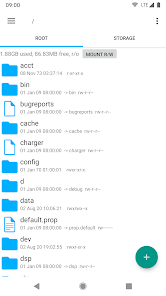




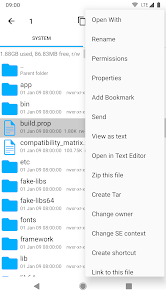

Root Explorer is the ultimate file manager for root users. Access the whole of android's file system (including the elusive data folder!).
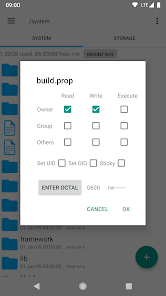
Features include multiple tabs, Google Drive, Box, Dropbox and network (SMB) support, SQLite database viewer, Text Editor, create and extract zip or tar/gzip files, extract rar archives, multi-select, execute scripts, search, remount, permissions, bookmarks, send files (via email, bluetooth etc), image thumbnails, APK binary XML viewer, change file owner/group, create symbolic link, "Open With" facility, MD5, create shortcuts.
For fast, friendly support simply email us: support@speedsoftware.co.uk
We will always try to help with any problem you may have with the app. If we can't help then you can have a refund, no questions asked.
Although 22,000+ five star ratings will tell you that most people are very satisfied customers. Make sure you read as many comments as possible to get a good idea of what most people think of the app.
We still respect the old 24 hour refund policy. So if you're not happy with the app just email us within 24 hours and you can have a refund. We'll need to know the order number, which you can find on the emails sent to you by Google when you downloaded.
Why compromise? Get the original and the best!
New permissions:
Full network access – Required for network and cloud access. No information is passed to us over the internet.
Add or remove accounts – Used by the Google Drive SDK to add a new account if desired. No changes are made to existing accounts and no details accessed apart from the account name.
Find accounts on the device – Used to list available accounts for logging into Google Drive.
Prevent from sleeping – Used to stop the device sleeping during long operations so they are not interrupted.