Download P Launcher APK v9.6 for Android for free. P Launcher is modern Android 10/11 launcher style, Cool Easy & Powerful. Get it now.
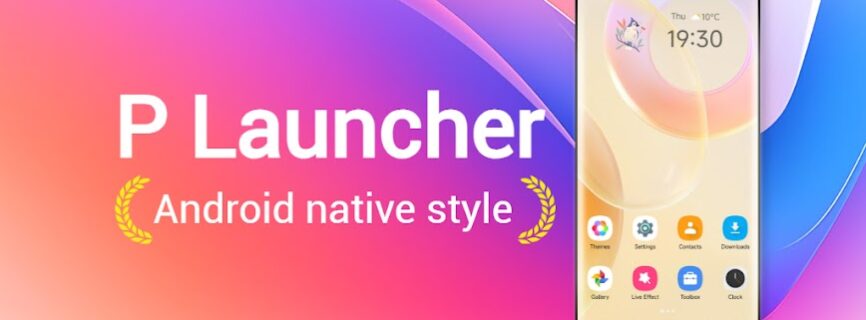

| Name | P Launcher |
|---|---|
| Publisher | N Dev Team |
| Genre | Tools |
| Version | 9.6 |
| Update | November 1, 2026 |
| Get it On | Play Store |
| Report | Report Apps |
Preview


Explore this article
What Is P Launcher APK?Key Features of P Launcher APKP Launcher App InformationHow to Download and Install P Launcher APKWhat’s New in P Launcher 9.6Tips for the Best Experience with P LauncherDevice compatibilityIs P Launcher APK Safe to Use?P Launcher FAQ: Common Questions AnsweredIs P Launcher APK free to download?What is the latest version of P Launcher?Which Android version does P Launcher need?How do I update P Launcher?Final Thoughts on P Launcher
P Launcher APK is a free tools app for Android by N Dev Team. P Launcher is modern Android 10/11 launcher style, Cool Easy & Powerful. On this page you can get the latest version 9.6, read what it offers and follow a simple install guide.

What Is P Launcher APK?
P Launcher belongs to the Tools category and is built by N Dev Team. It has already reached 1,000,000+ installs on Google Play with an average rating of 4.4/5 from 16,557 ratings, which shows how many people rely on it every day.
✦ P Launcher is available for ALL Android 4.1+ phones! ✦ P Launcher is not official of Android 10/11 launcher, it is feature-enhanced version of native Android 10/11 launcher
✦ Android™ is a registered trademark of Google, Inc. Android 10/11 launcher theme built-in
Downloading the P Launcher APK file lets you install the app directly, update it on your own schedule and keep a backup of the version that works best on your phone.
Key Features of P Launcher APK
- Support 1000+ beautiful themes
- Support almost all third-party launcher icon packs in Play Store
- Android 10/11 launcher's vertical drawer, with favorite apps section
- Support Android 10/11 gesture feature: swipe up from desktop to open drawer, swipe down from drawer to go back to desktop
- A-Z quick scroll bar in launcher drawer help your find app quickly
- Launcher Drawer mode: Vertical or Horizontal drawer, Black/White drawer background color option
P Launcher App Information
| App name | P Launcher |
| Package | com.or.launcher.oreo |
| Category | Tools |
| Developer | N Dev Team |
| Latest version | 9.6 |
| Requires Android | 5.0 |
| Installs | 1,000,000+ |
| Rating | 4.4/5 from 16,557 ratings |
| Last updated | September 29, 2026 |
| Price | Free |
How to Download and Install P Launcher APK
- Scroll to the download button on this page and tap it to save the P Launcher APK file.
- Open Settings on your phone and allow installs from your browser or file manager when asked.
- Open the downloaded file and tap Install.
- Wait a few seconds, then tap Open to start P Launcher.
- Switch the unknown-sources permission back off to keep your phone protected.
What’s New in P Launcher 9.6
1. Fixed crash bugs. 2. Resolved ANR issues. The listing was last updated on September 29, 2026.
Tips for the Best Experience with P Launcher
- Keep at least 500 MB of free storage so P Launcher can install and update smoothly.
- Use a stable Wi-Fi connection when you download the file or open the app for the first time.
- Grant only the permissions that P Launcher really needs and review them from time to time.
- Restart your phone after a big update if the app feels slow or freezes.
Device compatibility
P Launcher works on phones and tablets running Android 5.0 or higher. Older devices may run it a little slower, so close background apps if you notice lag.
Is P Launcher APK Safe to Use?
P Launcher is the same app that is published on the official Google Play listing. Always download from a source you trust, keep your phone updated and scan files with a security app if you are unsure.
Looking for something similar? Browse our Tools apps or discover more free Android apps.
P Launcher FAQ: Common Questions Answered
Is P Launcher APK free to download?
Yes. P Launcher is free to download and use. Some features may offer optional in-app purchases.
What is the latest version of P Launcher?
The latest version listed here is 9.6. It was last updated on September 29, 2026.
Which Android version does P Launcher need?
P Launcher needs Android 5.0 or newer to run properly.
How do I update P Launcher?
Come back to this page for the newest file, download it and install it over the old version. Your data stays in place.
Final Thoughts on P Launcher
If you want a reliable tools app, P Launcher APK is worth installing. Use the button above to get version 9.6 and enjoy everything P Launcher has to offer.
Report

What's New
1. Fixed crash bugs
2. Resolved ANR issues
Download P Launcher
You are now ready to download P Launcher for free. Here are some notes:
- Please check our installation guide.
- To check the CPU and GPU of Android device, please use CPU-Z app