Skip to content
ShareMe MiDrop Transfer files without internet

ShareMe MiDrop Transfer files without internet

Updated · 4.4
Download (42.13 MB)
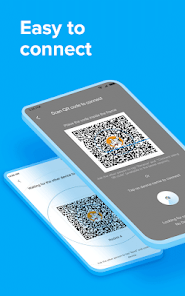
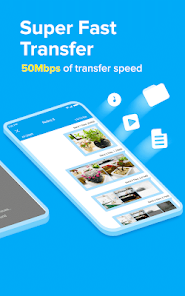
ShareMe MiDrop Transfer files without internet screenshot 1 ShareMe MiDrop Transfer files without internet screenshot 2 ShareMe MiDrop Transfer files without internet screenshot 3 ShareMe MiDrop Transfer files without internet screenshot 4 ShareMe MiDrop Transfer files without internet screenshot 5 ShareMe MiDrop Transfer files without internet screenshot 6 ShareMe MiDrop Transfer files without internet screenshot 7

App info

NameShareMe MiDrop Transfer files without internet
DeveloperXiaomi Inc
CategoryTools
Size42.13 MB
Installs1,000,000,000+
UpdatedJanuary 23, 2026
Get it onGoogle Play

🔒Your privacy and security are of the utmost importance to us.
🌎ShareMe is a safe and easy-to-use app that supports wireless file sharing.

Main features
📲Transfer & share files
ShareMe works on Android devices. Quickly share images, videos, music, apps, and files between Android mobile devices.

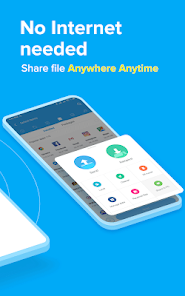
🗂Share files without the Internet
Transfer files without connecting to the network.

😌Intuitive and friendly UI
ShareMe's user-friendly UI makes file transfer simple. Files are sorted into categories like music, apps, and images, which makes them easy to find and share.

📥Resume interrupted transfers
No worries if your transfer got interrupted. You can resume it with a simple tap, no need to start over.

🎥Send large files
Share photos, music, videos, apps, documents, and more.

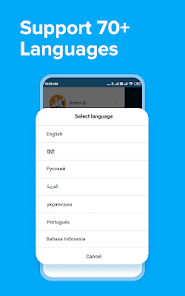
🌎Multiple languages supported:
English, Español, Chinese, Português, ру́сский язы́к, українська мова, Tiếng Việt.

Send us your feedback at: mi-shareme@xiaomi.com

 
Report
What's new
Bug fix.

How useful was this post?

Click on a star to rate it!

Average rating 0 / 5. Vote count: 0

No votes so far! Be the first to rate this post.

You may also like

Leave a comment

Your email address will not be published. Required fields are marked *